
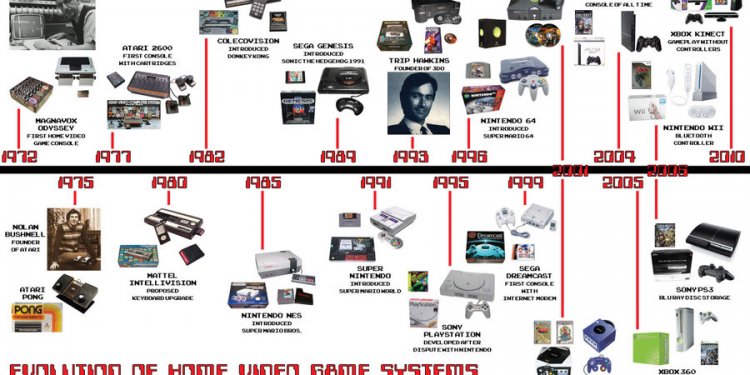
History of Multimedia timeline
 User profile: Angela
- Age: 32
- Occupation: teacher
- Nationality: Dutch/Suriname
- Search behavior: explorative
- Digital literacy: high
User story
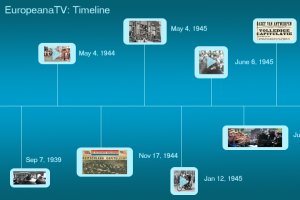
Angela is teaching History to a classroom of 25 children. That week’s subject is the Dutch liberation from the German occupation in WW2. Angela opens a web browser on her computer, which is synced up to the digital school board (smart board). She goes to the Europeana TV web portal by typing in the URL and selects the Multimedia Timeline feature. An interface opens with a simple search bar with a search button and an expand button. She types in “bevrijding”. She clicks the expand button and 4 items (search filters) appear that are pre-checked: Video, Sounds and Photos. Making sure they’re all checked, she presses the search button. As a result, a horizontal timeline opens with May 1944 on the left hand side. On the horizontal line twenty different nodes appear, visual squares with either photos or videos sorted by date.
The first item is a video of the liberation of Nijmegen dated 25-9-1944. She plays the video and starts telling about the liberation. When the video stops playing, she goes on to the next node in the timeline which is a photo of the liberation day festivities in Hillegom which is dated 9-5-1945. Angela tells about all the events that happened surrounding the German capitulation whilst navigating through the timeline, and sometimes just with the timeline in the background which is helping the students remember and contextualize the events as they occurred.
Links to other web resources like wikipedia are provided, enriching the AV content. The specific information flow, follows the video timeline.
On their own tablets, students can view the timeline, save a version of it to their account, and add textual nodes as the class progresses. Students can also add their own media and photos to the timeline and have to do so as an assignment. Angela can overview all the accounts and keep track of her students learning curve by viewing the activity on their accounts.
Share this article
Related Posts


Latest Posts


