

Multimedia courses
 We all love free tools to help us save time and resources so that we are more efficient building our elearning courses. Here are two free multimedia applications that I use quite a bit.
Color Picking with Color Cop
If you’re using Storyline that’s already easy to do because there’s a built in color picker. However, if you need to pick colors outside of your authoring tool, Color Cop is a good one to use.
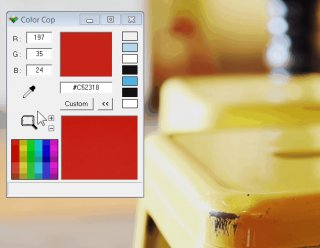 I use color pickers all the time. One way I integrate colors into my slides is by adding an image to my screen and then I pick colors from the image to create my buttons, background and accent colors. This way everything kind of look like it belongs together.
Create & Share Screenshots with ShareX
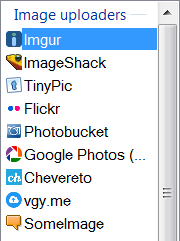 ShareX is a pretty slick application and I use it all the time to create quick screenshots and share them with team members and customers. I find it really useful to provide visual feedback when working on courses.
I use a keyboard shortcut to grab the screenshot and then it automatically uploads to my service of choice. I have use my Google Photos account, but images can be uploaded to all sorts of services, which can be seen in the image below.
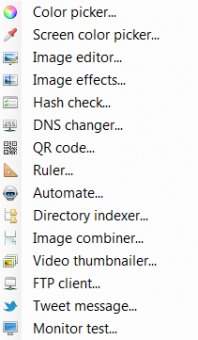
ShareX isn’t limited to just screenshots. In fact, it does quite a bit more (almost too much more). For example, you can color pick, edit images, and create animated .gifs. Here’s a screenshot of some of the other applications that are part of ShareX.
 You can even create QR codes like this one below. Check it out and see where it goes.
So there you have it, two free multimedia applications that will come in handy for your elearning development. And if you want even more recommendations, check out this weekly challenge when community members shared some of their favorite tools.
Are there any free applications you use? Feel free to share in the .
Upcoming E-Learning Events
- We'll be adding events for 2017 soon. If you'd like to see one of our workshops in your area just let me know.
Share this article
Related Posts

Latest Posts


